Linux and Tech Nerdery

I think I’ve found ithe greatest email client ever. It runs on linux and is called aerc. I particularly like the :unsubscribe option. I’ve unsubscribed from most of my spam.

I’ve gotten my email box down from 13000 to 5800 emails. Entirely console based! Customizable! Vim key-bindings!

https://aerc-mail.org/

(BTW, feel free to post here. Probably anything you find interesting will be interesting to someone else.)

Karl do you run Linux as your operating system? I have been messing with a virtual computer using Linux as the operating system and it is really interesting.

Yes, I do. Windows has become intolerable for me and I rarely use it. Mostly just for a music typesetting program and occasonially to update firmware on gadgets.

Currently running it on all three desktops (my office, wife’s office, gym) and two laptops. Most of what I do is browser based or writing, which I can do fine with google chrome or nvim.

Happy to give tips if you have a problem that needs solving.

Is there a specific distro you recommend? I have a desktop I put together in 2013 and I have been wanting to get away from Microsoft.

It doesn’t matter very much. Pick a mainstream one off distrowatch.com. If you aren’t too experienced, pick something like Mint or Ubuntu or MX Linux (which I’ve never used, but seems to be very popular). Get used to package management and spend a week seeing if you can do everything you need to do without going back to Windows.

If you like the bleeding edge and don’t mind things breaking occasionally, EndeavorOS and its parent ArchLinux are excellent. I use Arch on one of the laptops because it’s fun to get the latest of everything all the time. If you get stuck, no matter what distro you use, the Arch Linux website has excellent documentation.

What do you normally use your computers for?

My computer is not used for too much these days. It was originally a gaming computer, but if I play games now it is on a console with my wife or friends. If there is a good end to video games they should be used to play games with others, or at least that is my current working theory.

I have been dabbling in full stack development through the Odin Project. They have you set up a virtual environment, I think they recommended a light version of Ubuntu. Other than that I just look at websites and write a bit.

Google Chrome works just fine, maybe a little faster. What do you write on? Office works in the browser, Libre Office is good and free, there are Wordstar implementations (WordTsar!). The best method of writing is, of course, to use Vim or Neovim as a text editor and write in Markdown. You can then use Pandoc to make it into whatever format you want.

I may take this sort of optimization a little too seriously. . .

I am trying to get back into writing, I have a French Dominican(A. G. Sertillanges) yelling at me via book that I can’t just read forever. I will aim to get my desktop dual booted this weekend. Then I can try some of your suggestions.

What exactly is Vim or Neovim? I have heard a tech youtuber sing the praises of Neovim, but I can’t figure out what it is from context. He seems to work on his code in it, but if you can use it as a text editor it is not solely a code editor.

Vim is VI Improved, a text editor improvement of vi, and neovim is a fork/re-coding of Vim. The key difference: you don’t ever need a mouse!

Nutshell: there are two modes, the command mode and the editing mode. In the command mode, you use the keyboard to move around the file, insert, delete, search, undo, anything you would want to do in a text file. In the editing mode, you just type. You never have to take your fingers off the keyboard. I can’t adequately communicate how good it is. Much faster!

Markdown is a way to format your text that similarly does not require a mouse. Let me demonstrate:

This is _markdown_. You do emphasis with _underscores_ or *asterisks*. You do bigger emphases with **double** asterisks. 

# Headings are done with a hashtag. 

You can do lists:

* one
* two
* three

When you write, you just use the markdown markup language and don't worry about fonts or page setups or margins. Then you run it through a converter which interprets your text file and makes it pretty. I use pandoc or the markdownpreview vim plugin. 

Here’s that text as it is interpreted:

This is markdown. You do emphasis with underscores or asterisks. You do bigger emphases with double asterisks.

Headings are done with a hashtag.

You can do lists:

  • one
  • two
  • three

When you write, you just use the markdown markup language and don’t worry about fonts or page setups or margins. Then you run it through a converter which interprets your text file and makes it pretty. I use pandoc or the markdownpreview vim plugin.

If you’re interested, go here https://commonmark.org/

If you want to play around with vim or neovim, install and run the vimtutor, or type “:Tutor” in nvim. The learning curve is steep but worth it.

I was able to set up a partition on my SSD of Linux Mint. I was shocked how similar it felt to a windows or apple operating system. I am trying to work out of the terminal as much as possible and have chrome up and running.

I downloaded neovim and started the tutorial, but I have not gotten very far yet. It reminds me of my Dad’s old Mac that we had in the early 90s, before we got a windows 95 desktop. I am very much groping around in it at the moment.

I think I need to learn neovim before I hazard a go at markdown, but I am enjoying the tinkering as I go.

1 Like

I started taking notes on the Neovim tutorial, which I must say has been a bunch of fun so far. If people like it I will happily post more, if not I probably will keep taking them in the manner below. I could not figure out how to copy and paste from a neovim terminal so I cheated tonight.

I have learned how to navigate NeoVim using hjkl; h goes left, j goes down, k, goes up, and l goes right because qwerty keyboard.
To start Neovim from the terminal I type nvim, if I want to open a file I write that name after.

To exit without saving I press to get to normal mode and type :q! and press
If I want to save what I wrote I type instead, I would guess it stands for write and quit.

Characters can be deleted with x, i inserts text of course, and A appends text. Always remember to press otherwise you will be stuck
forever typing commands to no one. Hello noone, please let me keep my eyes. I am no son of Posiden nor have I devoured your crew.

Things got a bit dicey there with sly Odysseus lurking in the wings, lucky for me that I am no cyclops nor have anything that man would value.
Unless he values entrylevel neovim instructions, in that case he would be in luck. Better for mortals to avoid the Greek Gods and their spawn, just ask Odysseus’s crew if you don’t believe me.

Lesson 2.0 or deletion and motions

If you start at the beginning of an unwanted word press dw and it is gone in the blink of a cyclops’ eye.

If you want to delete from the cursor to the end of the line press d$, I don’t have a quip for that one.

If you want to delete a line, like Odysseus deleted his crew and the suitors press dd.

Motions move your cursor around the screen 0 takes you to the start of the line, w takes you from word to word, and $ to the end of the line (money may take one far, to heaven or hell? I dare not guess).

You can use operators like d for delete in combination with [numbers] and motions for some fancy gymnastics. If you make a mistake use u to undo a previous action and if you really screwed the pooch like
my friend Odysseus capitalize that U to undo all the changes in the line. The gods may decree that you must make those mistakes and type to undo the undos. That is it for me next time it is on to lesson 3.
1 Like

JP, when you get done with the tutor, you might like lazyvim.

Here’s a book on it. https://lazyvim-ambitious-devs.phillips.codes/

Of course, it’s fine just to use the vanilla setup to write!

Karl, I realized I made a grave mistake, I could have just been Jeffrey instead of my generic username. Please no JP, I have a buddy who holds that honor.

So I read the first chapter and half of the second. I am just going to install it and try it out, I have no priors so might as well learn the shiny thing. Karl you remind me of the old Grognards at the old 40k store when I was younger, who drop deep lore knowledge out of nowhere.

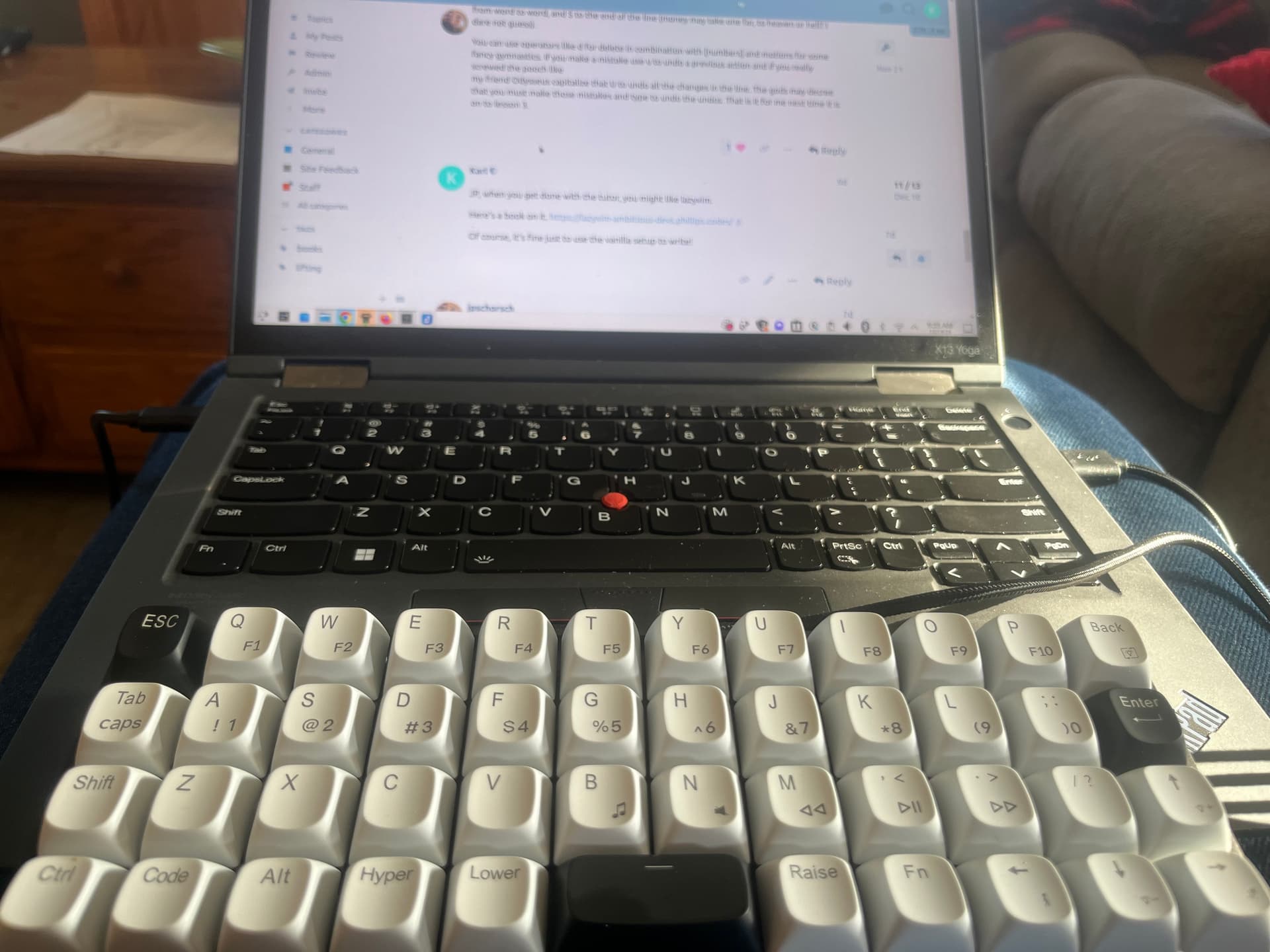
Check out the cool mini keyboard I got.

How different does that feel compared to a standard keyboard?

The switches are nice especially for a $39 keyboard. It’s ortholinear which is nice, since the staggered layout of a typical keyboard is designed to help the mechanism, not your hands. It’s snail and will fit in my backpack when I want to work at the coffee shop.

At home I use an “Alice” layout, which is just about perfect.

I’ve started playing with the i3 window manager. It’s a tiling manager which arranges all your windows in a sensible way. Much less mousing!

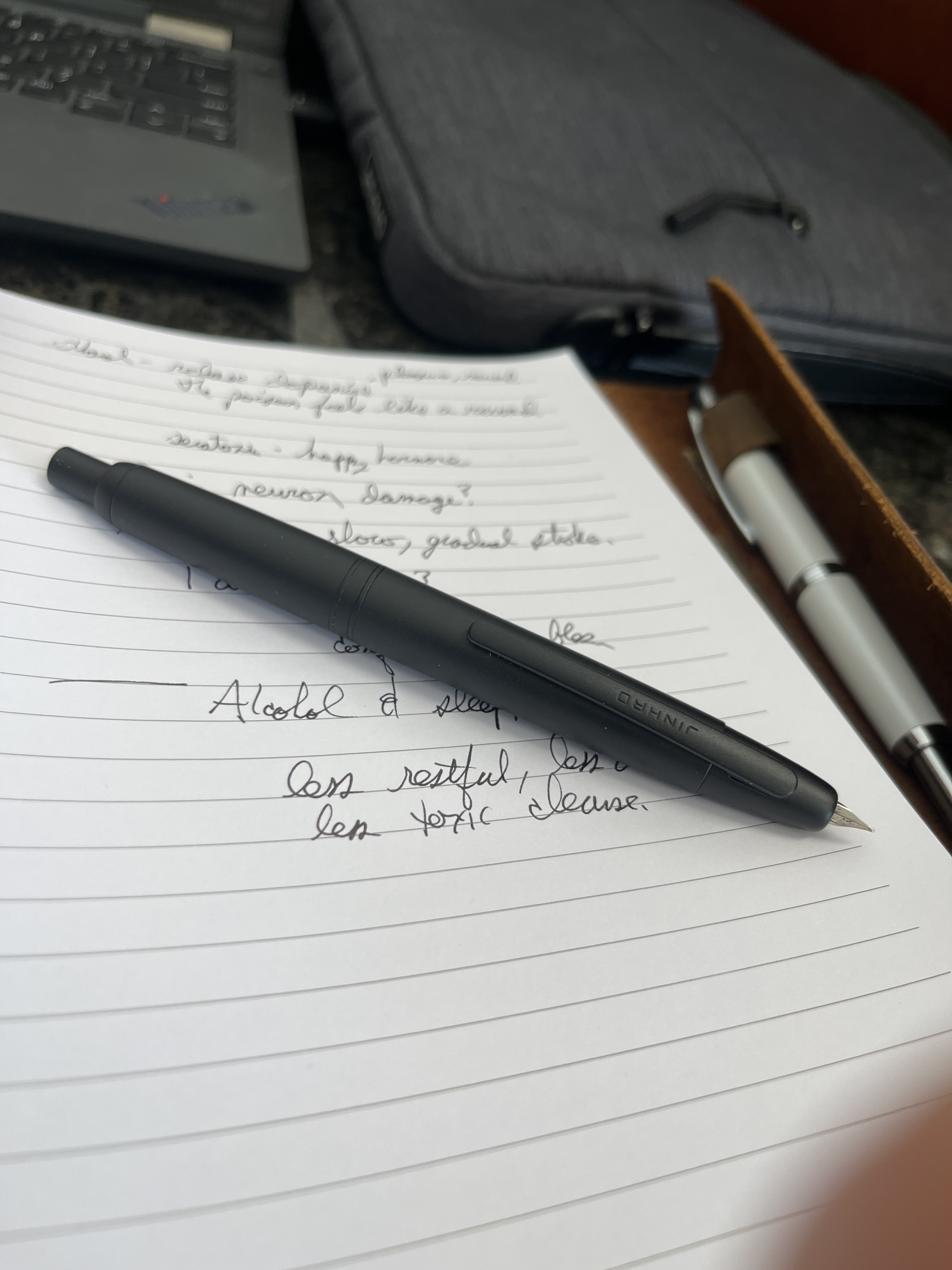
Low tech: I really like this retractable fountain pen.

Here’s the link:

1 Like